Dude, Where's My Cookie?
Finding your magic cookie needn't be difficult. Take two minutes and follow these five or six steps:
- If you use a browser that allows cross-site cookies such as Chrome or Edge, open Vort. Otherwise go to battleofthebits.com.
-
On that webpage, open your browser's DevTools menu.
-
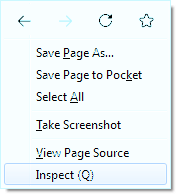
Press F12, Ctrl+Shift+I or Right-click ⟶ Inspect.
-
Press F12, Ctrl+Shift+I or Right-click ⟶ Inspect.
-
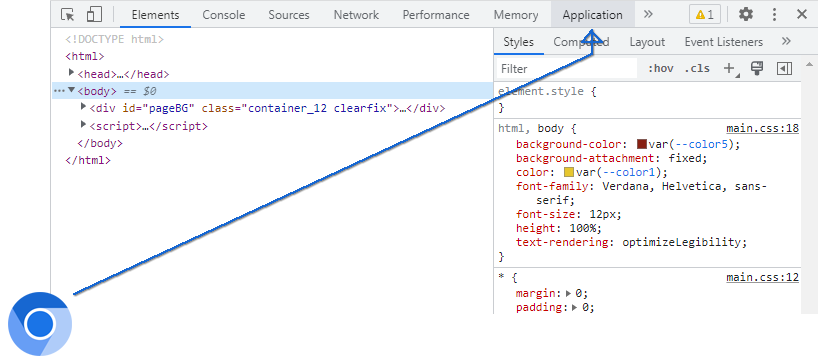
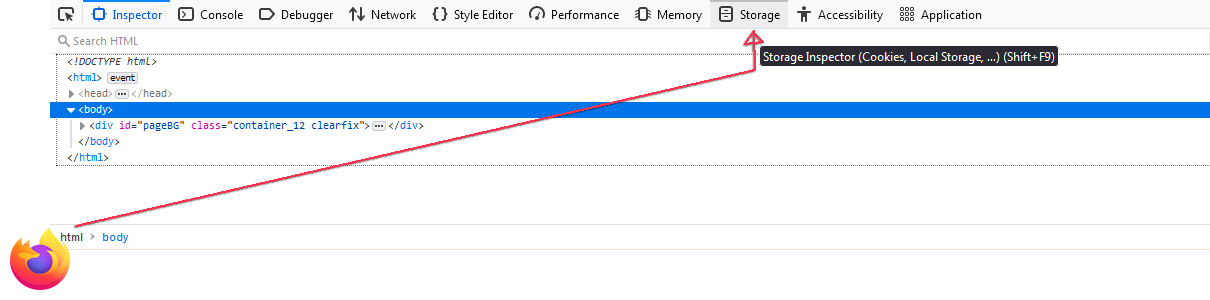
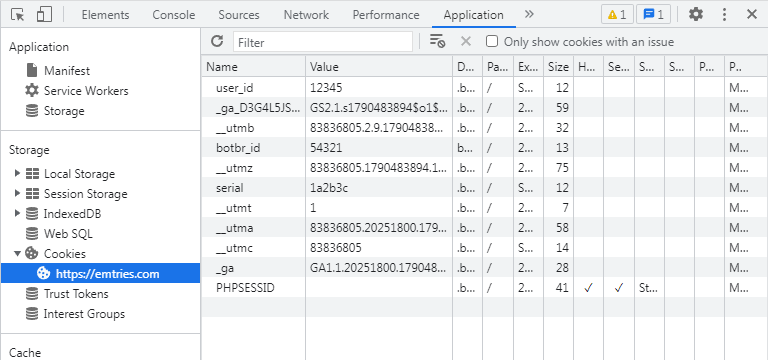
Inside the new DevTools pane that just opened up, click the Application tab. Some browsers have a Storage tab instead; click that.
-
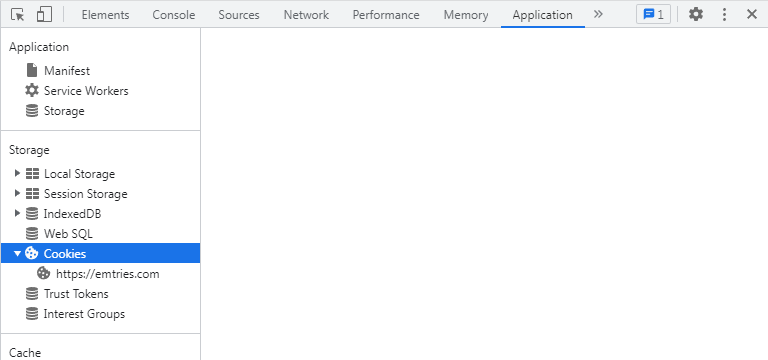
Expand Cookies by clicking the arrow (▶) left of it.
-
Select https://emtries.com if you're on Vort, otherwise select https://battleofthebits.com.
-
Collect your cookies!
-
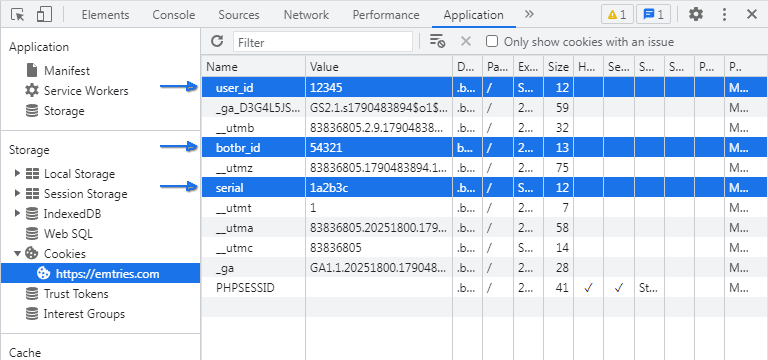
Look at the table of cookies that opened on the right.
-
Find cookies with these names:
- user_id
- serial
- botbr_id
- Copy their values into your You fields.
-
Look at the table of cookies that opened on the right.